# How do I disconnect a body from a sketch?
**URL:** https://discourse.shapr3d.com/t/how-do-i-disconnect-a-body-from-a-sketch/31276
**Category:** Modeling Questions
**Created:** [April 16, 2024, 7:23am UTC](https://discourse.shapr3d.com/t/how-do-i-disconnect-a-body-from-a-sketch/31276 "2024-04-16T07:23:31Z")
**Posts on this page:** 18
**Page:** 1
### Author:  [@Dudefella](https://discourse.shapr3d.com/u/Dudefella)
#### Post date: [April 16, 2024, 7:23am UTC](https://discourse.shapr3d.com/t/how-do-i-disconnect-a-body-from-a-sketch/31276/1 "2024-04-16T07:23:31Z")
So apparently there are no more sketch planes, just sketches and if I have created a body from a sketch, that body is deleted whenever I try to delete the sketch. How do I disconnect the body from the sketch so I can delete the sketch and keep the body?
---
### Author:  [@PEC](https://discourse.shapr3d.com/u/PEC)
#### Post date: [April 16, 2024, 8:13am UTC](https://discourse.shapr3d.com/t/how-do-i-disconnect-a-body-from-a-sketch/31276/2 "2024-04-16T08:13:50Z")
Hi
Short answer: it’s not possible. Hide the sketch, do not delete.
You can’t delete a sketch anymore, without deleting also everything that was created using this sketch, because with the parametric version of Shapr3D, every modification on your sketch will automatically modify the body accordingly.
> [@5.590 - History-Based Parametric Modeling is here](https://discourse.shapr3d.com/t/5-590-history-based-parametric-modeling-is-here/31108/15):
>
> Short answer … don’t delete the sketches, just hide them in the Item list (which means they are always available later just in case you need them again). Often, they will be hidden automatically. Pretty much everything else continues to work the same even if you ignore the history feature. In exchange for the slight change in how sketches are handled, we can now have multiple different unique sketches on the exact same plane if needed (automatically numbered to keep them separate, but you can r…
---
### Author:  [@Istvan](https://discourse.shapr3d.com/u/Istvan)
#### Post date: [April 16, 2024, 8:16am UTC](https://discourse.shapr3d.com/t/how-do-i-disconnect-a-body-from-a-sketch/31276/3 "2024-04-16T08:16:44Z")
> **[Design better, faster | Shapr3D Adaptive Parametric Modeling](https://www.shapr3d.com/blog/shapr3d-history-based-parametric-modeling)**
>
> Shapr3D’s Adaptive Parametric Modeling comes with an enhanced modeling experiencing. Find pointers here for faster concepting and more precise documentation.
---
### Author:  [@darkdvd](https://discourse.shapr3d.com/u/darkdvd)
#### Post date: [April 16, 2024, 9:50am UTC](https://discourse.shapr3d.com/t/how-do-i-disconnect-a-body-from-a-sketch/31276/4 "2024-04-16T09:50:20Z")
OK
How to downgrade to the previous version ?
---
### Author:  [@Bob3DPO](https://discourse.shapr3d.com/u/Bob3DPO)
#### Post date: [April 16, 2024, 1:30pm UTC](https://discourse.shapr3d.com/t/how-do-i-disconnect-a-body-from-a-sketch/31276/5 "2024-04-16T13:30:22Z")
Hi @Dudefella
@PEC is right, that you shouldn’t delete the sketches (unless you want to have everything that those sketches made go away.)
However, if you _really_ don’t want sketches in your design, you can export your bodies in x\_t format. Then import that file into a new project workspace. The new project will have only the bodies with no sketches and no history.
Without doubt, going from direct modeling without history to the new history based Shapr3D does take some learning (and breaking some old ways that can be deep in your memory muscle).
I suggest you just hide the sketches, and learn some new methods and workflow.
After using history to change your design, or changing a sketch and have your model reflect those changes, you will be able to see the value in keeping sketches and using the parameter history.
---
### Author:  [@Cjacob](https://discourse.shapr3d.com/u/Cjacob)
#### Post date: [April 18, 2024, 12:17am UTC](https://discourse.shapr3d.com/t/how-do-i-disconnect-a-body-from-a-sketch/31276/6 "2024-04-18T00:17:23Z")
Hello Bob,
Also new to parametric. Question, if we may. When exporting a completed project to then incorporate into another larger project, should we be using shapr export format only, with sketches? I assume the x\_t format isn’t doable anymore, yes?
Thanks.
---
### Author:  [@Bob3DPO](https://discourse.shapr3d.com/u/Bob3DPO)
#### Post date: [April 18, 2024, 1:45am UTC](https://discourse.shapr3d.com/t/how-do-i-disconnect-a-body-from-a-sketch/31276/7 "2024-04-18T01:45:03Z")
Hi CJ,
You have the option to use either .shapr or .x\_t exports and I have done it both ways. The shapr format not only has sketches, but also the history with parameters. It also has any visualization color/materials that are generally worth keeping. For the most part, I would suggest using shapr files.
Where I have used x\_t is when I have modeled a part that isn’t going to change, and I am not the “real” designer. For example, I will measure and draw motors, electronic boards etc. to incorporate into my projects. I will use these in a similar fashion to step files from McMaster-Carr.
I started doing that before some of the nice changes the dev’s put into the history list. For a while in beta, my history list got unmanageably long. When importing the x\_t there is just one “import” line in history, and I didn’t need another hundred lines of steps that I didn’t want to change or scroll through.
When I am done with a project, I will always export it to an archive folder in shapr format so I can go back to “the master version” to make changes if needed.
At some point (not soon) I think Shapr3D will bring in “real” assemblies, and that will again change workflow for the better!
---
### Author:  [@Cjacob](https://discourse.shapr3d.com/u/Cjacob)
#### Post date: [April 18, 2024, 2:28am UTC](https://discourse.shapr3d.com/t/how-do-i-disconnect-a-body-from-a-sketch/31276/8 "2024-04-18T02:28:46Z")
Thank you Bob. Very well noted. Will start using Shapr format from now on.
---
### Author:  [@Skinaci032](https://discourse.shapr3d.com/u/Skinaci032)
#### Post date: [April 18, 2024, 6:01pm UTC](https://discourse.shapr3d.com/t/how-do-i-disconnect-a-body-from-a-sketch/31276/9 "2024-04-18T18:01:32Z")
please change this isue, I want to delete sometimes my skecths. that is stupit…
---
### Author:  [@brunowerneck](https://discourse.shapr3d.com/u/brunowerneck)
#### Post date: [April 18, 2024, 7:27pm UTC](https://discourse.shapr3d.com/t/how-do-i-disconnect-a-body-from-a-sketch/31276/10 "2024-04-18T19:27:53Z")
Please fix this issue, one should be able to delete a sketch with a simple click of button. What we find attractive in Shapr is its minimalistic and intuitive workflow, let’s not over complicate things.
---
### Author:  [@TheBum](https://discourse.shapr3d.com/u/TheBum)
#### Post date: [April 18, 2024, 8:37pm UTC](https://discourse.shapr3d.com/t/how-do-i-disconnect-a-body-from-a-sketch/31276/11 "2024-04-18T20:37:51Z")
Deletion of sketches would have to be an operation in history for it not to break objects created from it, maybe a “remove” operation like Fusion has. If you later delete the operation in history, you’d bring back the sketch.
---
### Author:  [@vbdino](https://discourse.shapr3d.com/u/vbdino)
#### Post date: [April 20, 2024, 8:41am UTC](https://discourse.shapr3d.com/t/how-do-i-disconnect-a-body-from-a-sketch/31276/12 "2024-04-20T08:41:54Z")
I agree totally with others, I don’t like this history feature to be forced on me. So I created a dumping site folder to gather that crap. **They should at least implement a sub menu on sketch objects like “Archive”, that would automatically create if not existing, a hidden Archive folder and move the sketch object there.** That’s an easy implementation and be more user friendly than having to manually drag the object to a folder at the root.
Not too bad on ipad but on Windows, moving objects in the folder tree is a pain to use.
---
### Author:  [@aqkhana2002](https://discourse.shapr3d.com/u/aqkhana2002)
#### Post date: [May 18, 2024, 9:00am UTC](https://discourse.shapr3d.com/t/how-do-i-disconnect-a-body-from-a-sketch/31276/13 "2024-05-18T09:00:22Z")
Now I am in the stage that I can not freely modify my design it’s take over 2 minute to even move a sketch , looks like there is limit of sketch in file so we should be able to delete sketch that we do not need here is the performance when I have over 150 sketch in my file.
[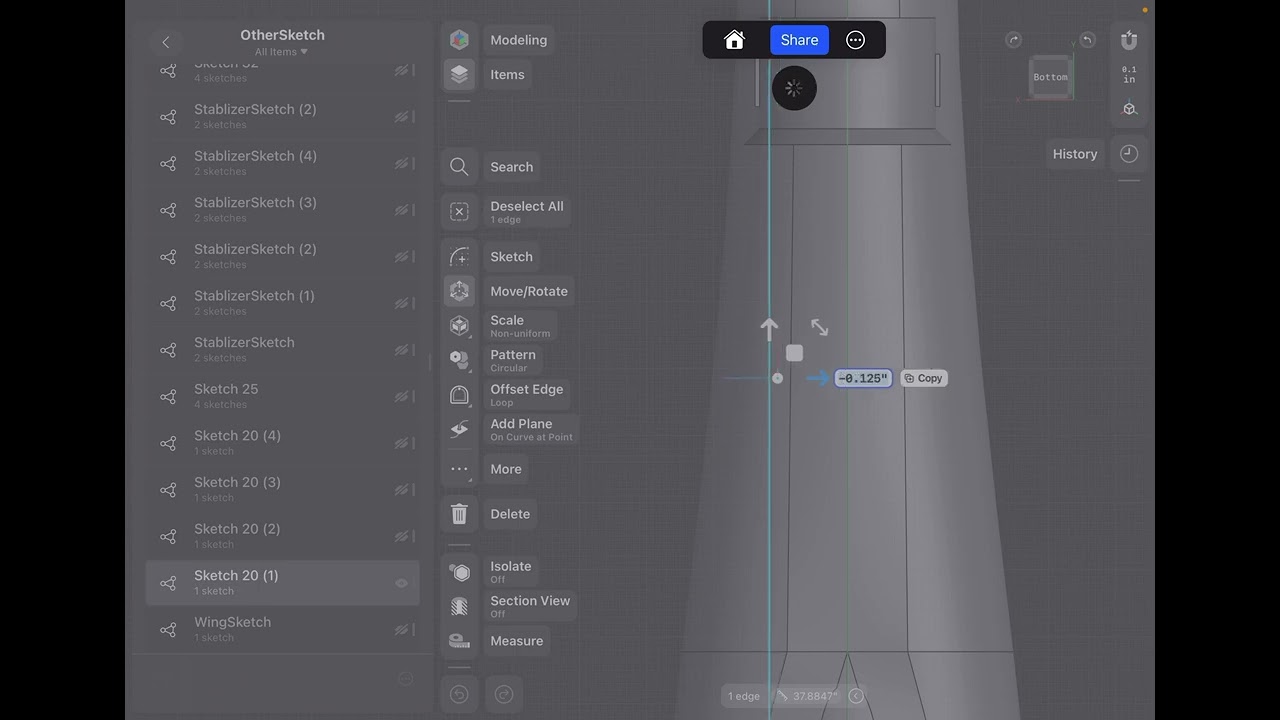 ](https://www.youtube.com/watch?v=jcwj1x7xxmQ)
---
### Author:  [@karel.works](https://discourse.shapr3d.com/u/karel.works)
#### Post date: [June 3, 2024, 11:27am UTC](https://discourse.shapr3d.com/t/how-do-i-disconnect-a-body-from-a-sketch/31276/14 "2024-06-03T11:27:00Z")
Hello,
I understand the importance of sketches in parametric history, but is there an option to switch them off or disconnect? For instance, I often use sketches to export .dxf for my plasma cutter, but before export I want to make 3d model to test that everything will work out.
Then when I transform (mostly rotate) those sketches to make them lay on XZ plane, also deform whole object. So the only way, which is really complicated, is to copy those objects, transform them, make plane and then project them on the plane, delete object delete plane and export sketches.
It is horrible workflow. Or maybe I should learn better with parametric history, and find easier way to solve it.
Do you have some tips please?
my workflow:
https://www.youtube.com/embed/FbOmvgUtHYE?feature=oembed&wmode=opaque&list=PLgvc3tena9ufO-34RUL_XBv1KSfqp-zKz
---
### Author:  [@Istvan](https://discourse.shapr3d.com/u/Istvan)
#### Post date: [June 3, 2024, 11:29am UTC](https://discourse.shapr3d.com/t/how-do-i-disconnect-a-body-from-a-sketch/31276/15 "2024-06-03T11:29:29Z")
You can merge the history:
> **[5.620 - Merge History steps](https://support.shapr3d.com/hc/en-us/articles/14034235963036-5-620-Merge-History-steps)**
>
> Greatly improve your workflow with these new updates to Design History and Visualization.
> Design History:
>
> New: Merge History steps
> Improved: Unlink sketch projections
> Improved: Project items into ...
---
### Author:  [@edethism](https://discourse.shapr3d.com/u/edethism)
#### Post date: [June 20, 2024, 3:14pm UTC](https://discourse.shapr3d.com/t/how-do-i-disconnect-a-body-from-a-sketch/31276/16 "2024-06-20T15:14:47Z")
Literally signed up to say removing the ability to delete sketches drastically slowed down my workflow.
Removing an option from your customers toolset is rarely an “upgrade”. I wish I could go back to a previous version.
---
### Author:  [@Istvan](https://discourse.shapr3d.com/u/Istvan)
#### Post date: [June 20, 2024, 3:15pm UTC](https://discourse.shapr3d.com/t/how-do-i-disconnect-a-body-from-a-sketch/31276/17 "2024-06-20T15:15:28Z")
Fortunately we’ve fixed this and now you can delete your sketches after merging the history.
---
### Author:  [@Torpedo](https://discourse.shapr3d.com/u/Torpedo)
#### Post date: [September 24, 2024, 11:18am UTC](https://discourse.shapr3d.com/t/how-do-i-disconnect-a-body-from-a-sketch/31276/18 "2024-09-24T11:18:41Z")
Thank goodness for this fix, I was just about to move away from Shapr3d. You might want to highlight this for other users as I’ve been struggling with the speed of this for months now, not knowing I could simply make my designs much faster by merging the history.