# How do I move everything (objects extruded from sketches and their sketches) to the axis?
**URL:** https://discourse.shapr3d.com/t/how-do-i-move-everything-objects-extruded-from-sketches-and-their-sketches-to-the-axis/39511
**Category:** Modeling Questions
**Created:** [October 2, 2025, 12:39pm UTC](https://discourse.shapr3d.com/t/how-do-i-move-everything-objects-extruded-from-sketches-and-their-sketches-to-the-axis/39511 "2025-10-02T12:39:29Z")
**Posts on this page:** 2
**Page:** 1
### Author:  [@aatkaw](https://discourse.shapr3d.com/u/aatkaw)
#### Post date: [October 2, 2025, 12:39pm UTC](https://discourse.shapr3d.com/t/how-do-i-move-everything-objects-extruded-from-sketches-and-their-sketches-to-the-axis/39511/1 "2025-10-02T12:39:29Z")
I just want to center everything, the objects, sketches onto the axis itself, I tried using move like so:
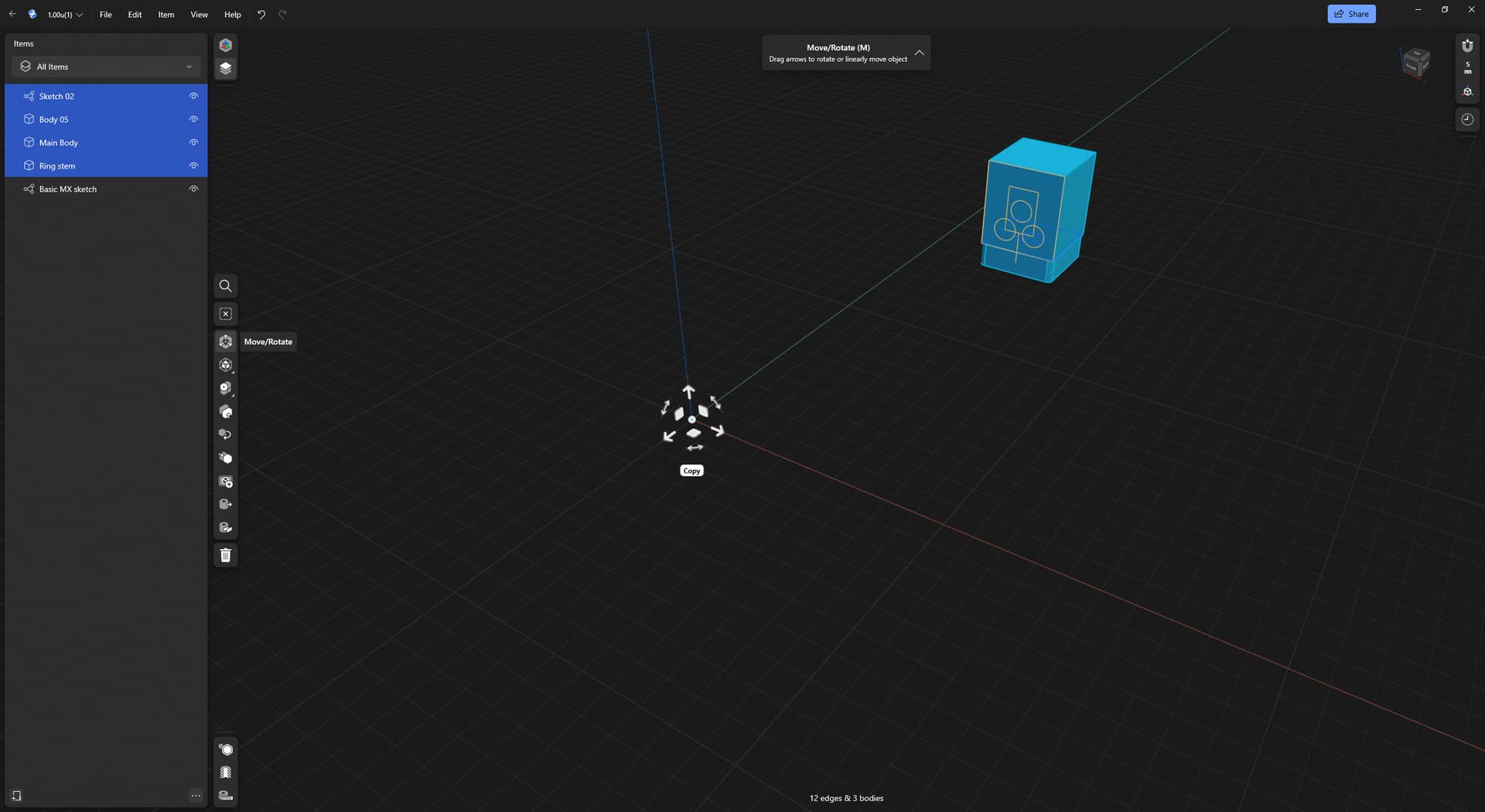
Nothing happens. Dragging over each part bit by bit doesn’t work cos I can’t figure out how to get it to snap so everything is just off, and by that point it would be faster to just redraw everything from the center.
---
### Author:  [@Oregonerd](https://discourse.shapr3d.com/u/Oregonerd)
#### Post date: [October 2, 2025, 2:50pm UTC](https://discourse.shapr3d.com/t/how-do-i-move-everything-objects-extruded-from-sketches-and-their-sketches-to-the-axis/39511/2 "2025-10-02T14:50:54Z")
You can make a new axis. Shapr does not use world cords per se.
Try the translate tool.
[ ](https://www.youtube.com/watch?v=TJ8AznTuP7E)