# How to remove a grid
**URL:** https://discourse.shapr3d.com/t/how-to-remove-a-grid/2777
**Category:** Modeling Questions
**Created:** [August 18, 2018, 6:51am UTC](https://discourse.shapr3d.com/t/how-to-remove-a-grid/2777 "2018-08-18T06:51:20Z")
**Posts on this page:** 3
**Page:** 1
### Author:  [@Fargekatten](https://discourse.shapr3d.com/u/Fargekatten)
#### Post date: [August 18, 2018, 6:51am UTC](https://discourse.shapr3d.com/t/how-to-remove-a-grid/2777/1 "2018-08-18T06:51:20Z")
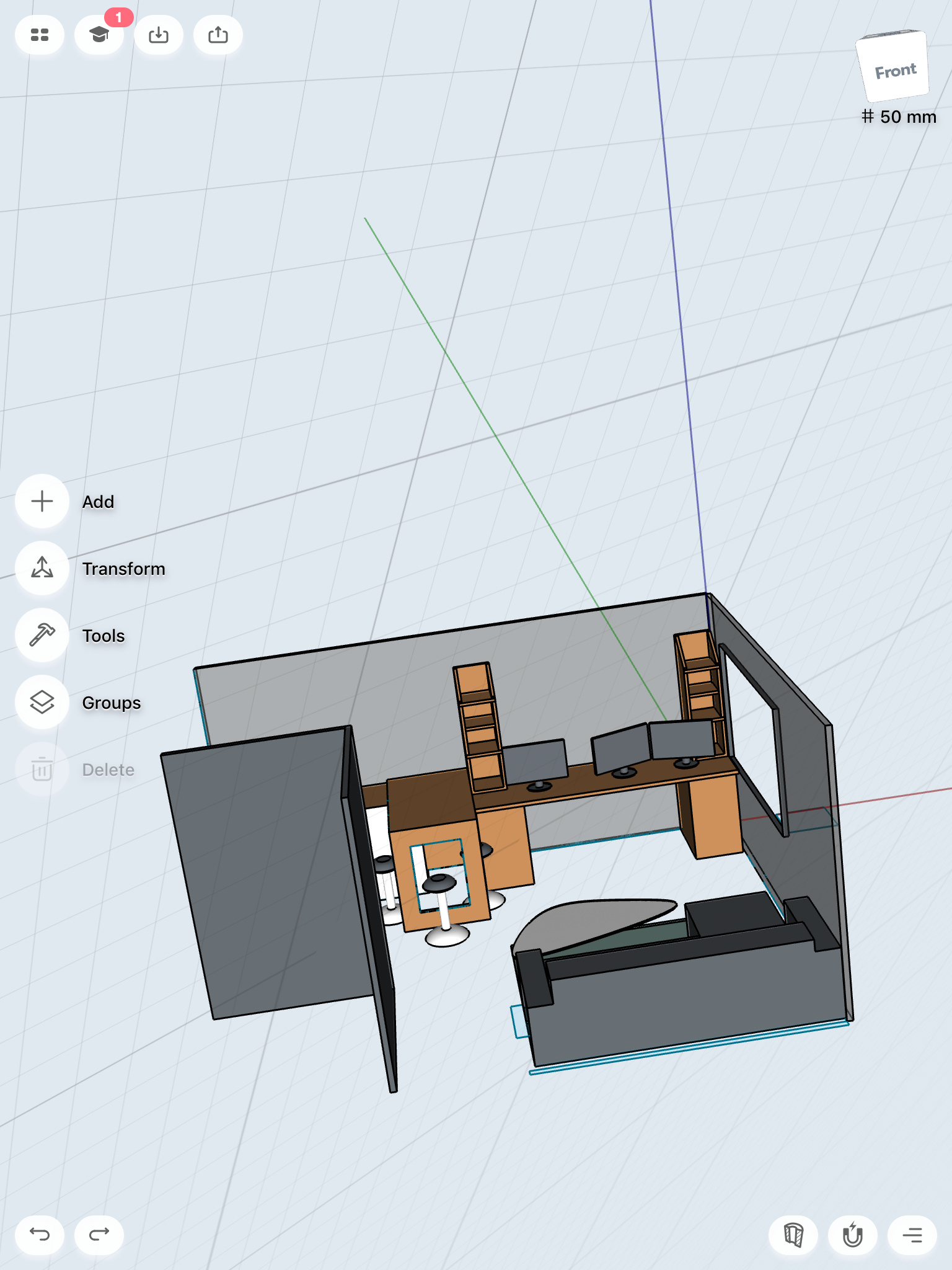
A new grid appeared, and now i can only draw in this new dimension. I am new to this, but what have I done and how can I make it back?
---
### Author:  [@Istvan](https://discourse.shapr3d.com/u/Istvan)
#### Post date: [August 18, 2018, 10:06am UTC](https://discourse.shapr3d.com/t/how-to-remove-a-grid/2777/2 "2018-08-18T10:06:30Z")
Tap on the orientation cube-\>Reset grid
---
### Author:  [@Fargekatten](https://discourse.shapr3d.com/u/Fargekatten)
#### Post date: [August 18, 2018, 10:19am UTC](https://discourse.shapr3d.com/t/how-to-remove-a-grid/2777/3 "2018-08-18T10:19:41Z")
Thank you very much!