# Making simple presentations better
**URL:** https://discourse.shapr3d.com/t/making-simple-presentations-better/4439
**Category:** Share your creations
**Created:** [April 3, 2019, 5:52pm UTC](https://discourse.shapr3d.com/t/making-simple-presentations-better/4439 "2019-04-03T17:52:36Z")
**Posts on this page:** 5
**Page:** 1
### Author:  [@TigerMike](https://discourse.shapr3d.com/u/TigerMike)
#### Post date: [April 3, 2019, 5:52pm UTC](https://discourse.shapr3d.com/t/making-simple-presentations-better/4439/1 "2019-04-03T17:52:36Z")
Greetings all,
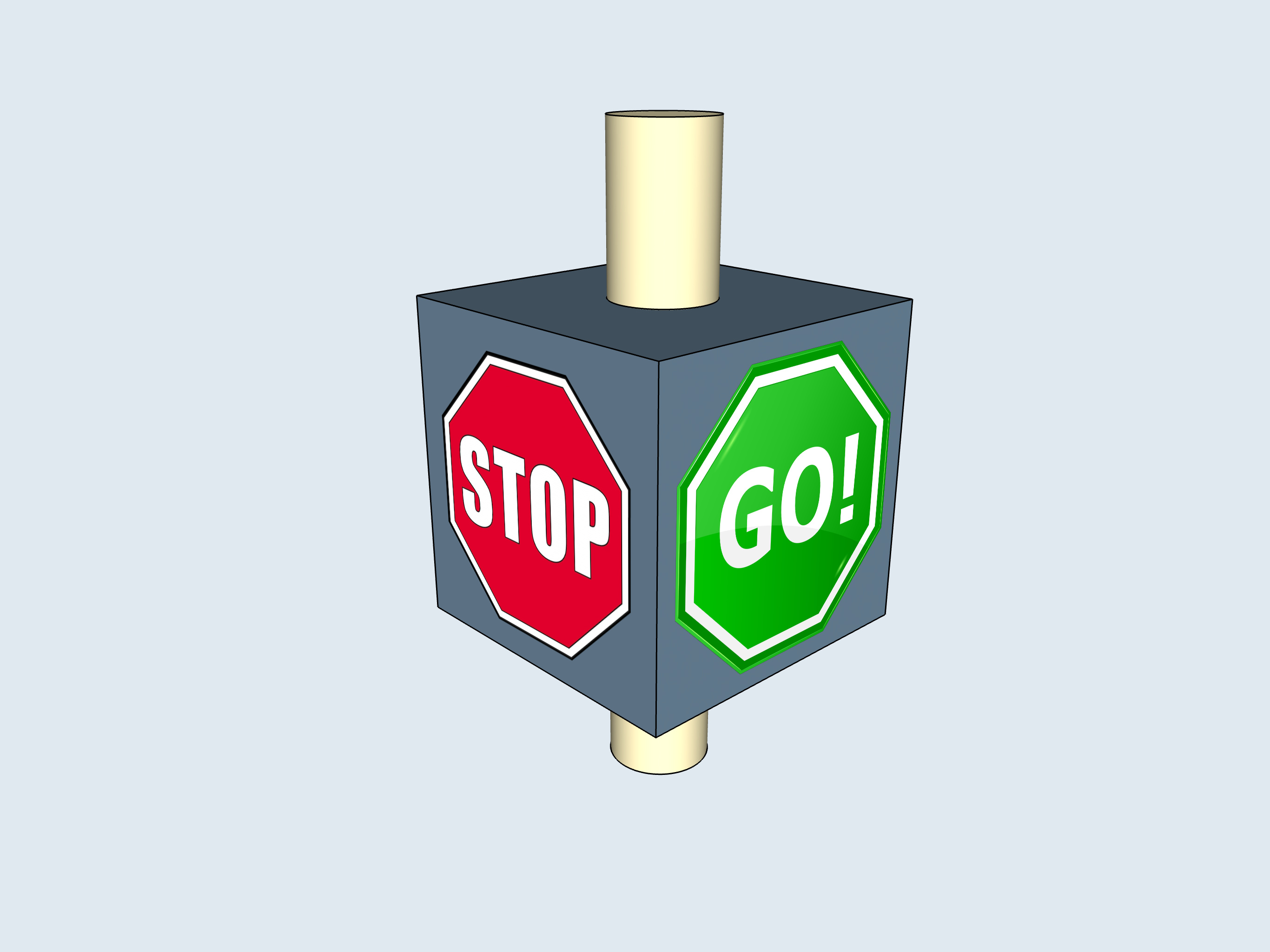
I made an interesting little discovery. This tidbit may be known to many of you in the Shapr3D community, but for others, check this out. Importing an image to trace over to create a 3D model is great. It’s nice that you can also import PNG files. An interesting property of PNG files is that you can have the background transparent. Here’s a little demo where I imported some PNG files and placed them very close to flat surfaces in 3D space. This is great for simple presentations whether making screen grabs or screen recordings.
Regards, Mike
[https://us1.discourse-cdn.com/flex002/uploads/shapr3d/original/2X/9/94820928393f92313b354b9364ed0ca50bcd470c.mp4](https://us1.discourse-cdn.com/flex002/uploads/shapr3d/original/2X/9/94820928393f92313b354b9364ed0ca50bcd470c.mp4)
---
### Author:  [@Victor\_Shapr3D](https://discourse.shapr3d.com/u/Victor_Shapr3D)
#### Post date: [April 4, 2019, 11:39am UTC](https://discourse.shapr3d.com/t/making-simple-presentations-better/4439/2 "2019-04-04T11:39:18Z")
Awesome, thank you for sharing, Mike!
---
### Author:  [@TigerMike](https://discourse.shapr3d.com/u/TigerMike)
#### Post date: [April 6, 2019, 11:40pm UTC](https://discourse.shapr3d.com/t/making-simple-presentations-better/4439/3 "2019-04-06T23:40:51Z")
Hi Victor,
I’m glad you like it. I’ve actually used this little feature in a couple of presentations with good results.
-Mike
---
### Author:  [@Stephen](https://discourse.shapr3d.com/u/Stephen)
#### Post date: [November 16, 2022, 4:37pm UTC](https://discourse.shapr3d.com/t/making-simple-presentations-better/4439/4 "2022-11-16T16:37:42Z")
That’s a great idea Mike, it will be useful for me for an upcoming presentation. How close to the surface did you place the image?
---
### Author:  [@TigerMike](https://discourse.shapr3d.com/u/TigerMike)
#### Post date: [November 16, 2022, 5:12pm UTC](https://discourse.shapr3d.com/t/making-simple-presentations-better/4439/5 "2022-11-16T17:12:28Z")
I eyeballed moving the image as close to the surface as possible. If it started to penetrate the surface I backed it off a bit. Nothing scientific here. 🕶
I also kept the image and body in the same folder so if moved, they would move a unit.
-Mike