# Separating projected images from body
**URL:** https://discourse.shapr3d.com/t/separating-projected-images-from-body/40035
**Category:** Modeling Questions
**Created:** [December 23, 2025, 6:39pm UTC](https://discourse.shapr3d.com/t/separating-projected-images-from-body/40035 "2025-12-23T18:39:19Z")
**Posts on this page:** 3
**Page:** 1
### Author:  [@alexM](https://discourse.shapr3d.com/u/alexM)
#### Post date: [December 23, 2025, 6:39pm UTC](https://discourse.shapr3d.com/t/separating-projected-images-from-body/40035/1 "2025-12-23T18:39:19Z")
Hello Shapr3d community,
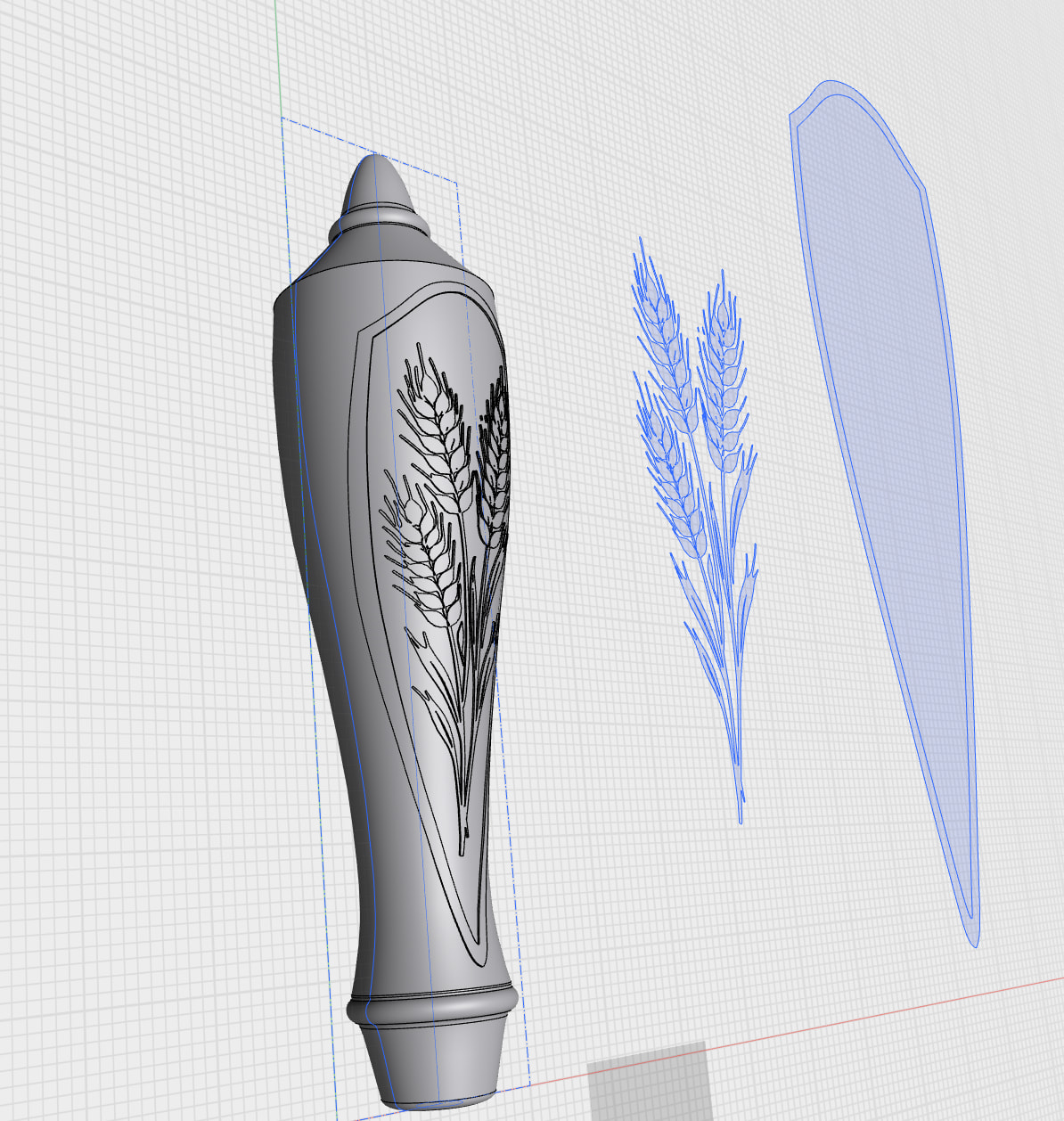
i have projected an 2d sketch of a barley stalk (made of hundreds of tiny splines) onto a 3d body, and it wraps nicely around the curves of the body. I can then use Offset Face to raise the projected sketch .05” above the surface of the body to create a raised, 3d surface of the sketch as in the attached screenshot. I now want to detach that projected image into a separate body for 3d printing. My goal is to 3d print this object using multiple filament colors, and I want to print the various pieces separately, and then assemble after printing. I have tried using the Move/Copy tool to create a copy of the image, but this operation fails. I have also tried to Move/Copy before doing the Offset Face, and this also fails. I’d appreciate any ideas.
Thanks!
Alex
---
### Author:  [@Xdrakosha](https://discourse.shapr3d.com/u/Xdrakosha)
#### Post date: [December 23, 2025, 7:04pm UTC](https://discourse.shapr3d.com/t/separating-projected-images-from-body/40035/2 "2025-12-23T19:04:37Z")
How about split body tool?
If you can share your project, I can play with it and give you more practical advice.
---
### Author:  [@alexM](https://discourse.shapr3d.com/u/alexM)
#### Post date: [December 23, 2025, 8:07pm UTC](https://discourse.shapr3d.com/t/separating-projected-images-from-body/40035/3 "2025-12-23T20:07:55Z")
Thanks! Split Body did the trick. Your video clarified how to use the tool. I had tried before, but didn’t apply it correctly.
-Alex