# Splitting a body with a pattern?
**URL:** https://discourse.shapr3d.com/t/splitting-a-body-with-a-pattern/30368
**Category:** Modeling Questions
**Created:** [February 15, 2024, 6:02pm UTC](https://discourse.shapr3d.com/t/splitting-a-body-with-a-pattern/30368 "2024-02-15T18:02:51Z")
**Posts on this page:** 14
**Page:** 1
### Author:  [@dmf92](https://discourse.shapr3d.com/u/dmf92)
#### Post date: [February 15, 2024, 6:02pm UTC](https://discourse.shapr3d.com/t/splitting-a-body-with-a-pattern/30368/1 "2024-02-15T18:02:51Z")
I’m trying to split a tube but not with a clean cut. I want to apply a specific pattern (to get two 3D print materials to adhere better).
I tried drawing the shape in front of the tube and projecting, but of course this gets distorted around the cylinder (screenshot).
Any ideas to achieve this effect?
[Screenshot 2024-02-15 at 19.00.38|690x441](https://discourse.shapr3d.com/uploads/short-url/8FmGZoj4dIwTPTaRtX1VWAIw0jT.jpeg)
---
### Author:  [@TigerMike](https://discourse.shapr3d.com/u/TigerMike)
#### Post date: [February 15, 2024, 6:28pm UTC](https://discourse.shapr3d.com/t/splitting-a-body-with-a-pattern/30368/2 "2024-02-15T18:28:11Z")
Try this.
---
### Author:  [@TigerMike](https://discourse.shapr3d.com/u/TigerMike)
#### Post date: [February 15, 2024, 6:50pm UTC](https://discourse.shapr3d.com/t/splitting-a-body-with-a-pattern/30368/3 "2024-02-15T18:50:25Z")
…and here’s a way to provide clearance for 3D printing. I used the **Intersect** tool.
---
### Author:  [@dmf92](https://discourse.shapr3d.com/u/dmf92)
#### Post date: [February 15, 2024, 7:32pm UTC](https://discourse.shapr3d.com/t/splitting-a-body-with-a-pattern/30368/4 "2024-02-15T19:32:47Z")
Thanks!
I’d like the materials to adhere almost water-tight and I don’t mind over-extrusion, so I think I’ll skip the second step.
If there’s some shape you know about that you’d recommend for maximum adhesion given my description, I’d appreciate it! I went with a very simple shape to start with
---
### Author:  [@TigerMike](https://discourse.shapr3d.com/u/TigerMike)
#### Post date: [February 15, 2024, 7:56pm UTC](https://discourse.shapr3d.com/t/splitting-a-body-with-a-pattern/30368/5 "2024-02-15T19:56:22Z")
Revised 2nd step. It occurred to me that using **Subtract** to make the horizontal clearance is easier. Just thought I’d share.
---
### Author:  [@TigerMike](https://discourse.shapr3d.com/u/TigerMike)
#### Post date: [February 15, 2024, 7:57pm UTC](https://discourse.shapr3d.com/t/splitting-a-body-with-a-pattern/30368/6 "2024-02-15T19:57:52Z")
The best way to make a water-tight fit is with a tapered lap joint.
---
### Author:  [@Bob3DPO](https://discourse.shapr3d.com/u/Bob3DPO)
#### Post date: [February 15, 2024, 9:08pm UTC](https://discourse.shapr3d.com/t/splitting-a-body-with-a-pattern/30368/7 "2024-02-15T21:08:17Z")
Hi @dmf92
@TigerMike always has the best answers! If one of your materials is TPU (flex) you might be able to use Mike’s tapered lap joint with a negative draft angle. This would give a joint that you’d have to force the pseudo dove tail together, so it might take a couple tries to figure out the best angle.
---
### Author:  [@dmf92](https://discourse.shapr3d.com/u/dmf92)
#### Post date: [February 16, 2024, 10:13am UTC](https://discourse.shapr3d.com/t/splitting-a-body-with-a-pattern/30368/8 "2024-02-16T10:13:38Z")
Thank you!
I’d be printing the two materials together directly and want to minimise the chance of them breaking.
---
### Author:  [@dmf92](https://discourse.shapr3d.com/u/dmf92)
#### Post date: [February 16, 2024, 10:45am UTC](https://discourse.shapr3d.com/t/splitting-a-body-with-a-pattern/30368/9 "2024-02-16T10:45:20Z")
Thanks for all the tips!
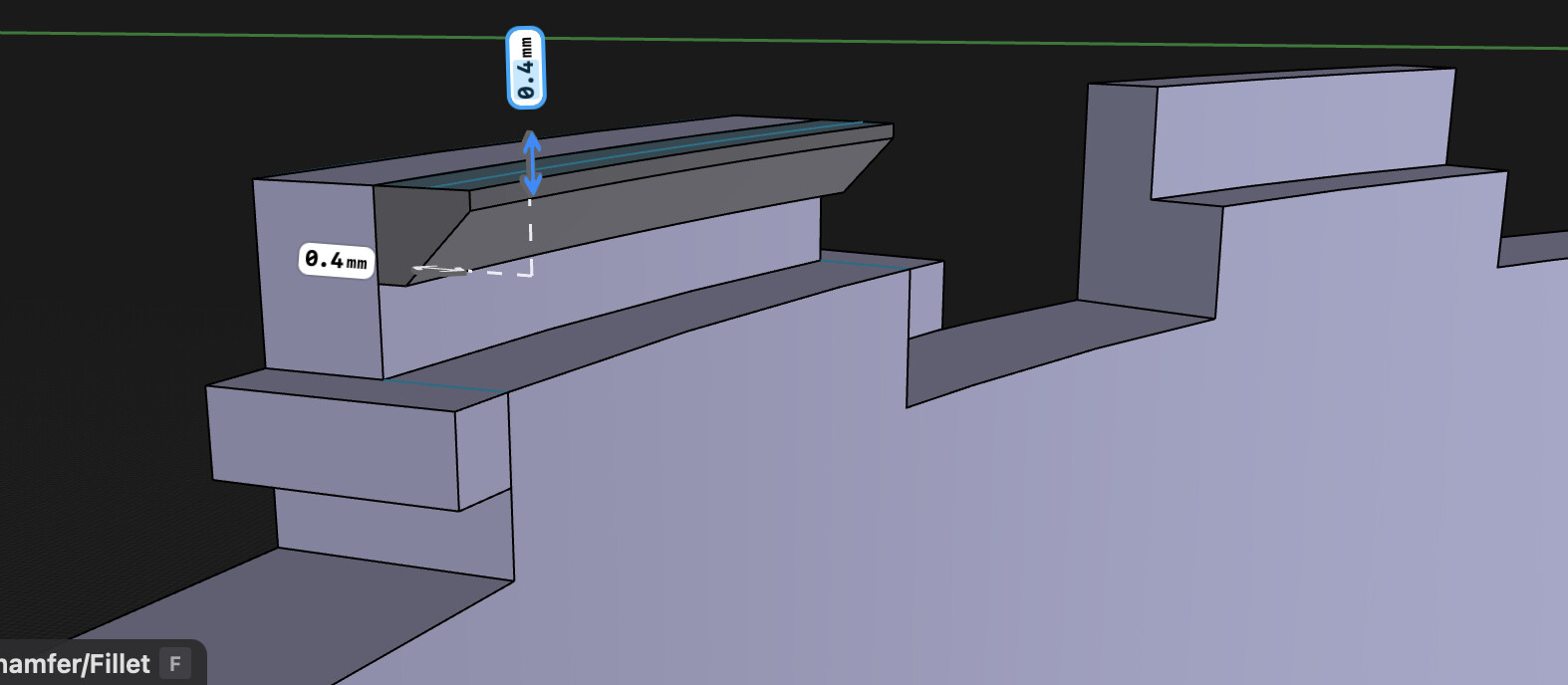
I’ve got a shape I think could work (maybe there’s no advantage to having so many repetitions of the interlock? idk) and I’m trying to make a final touch by moving the “top edge” (hopefully clearer in screenshots) out for a tapered lap joint effect. However, when I do so, the edge moves away at an angle.
If there were some way to “centre” the move function to the centre of the tube/ circle, I think this could work easily as I could then just subtracting the new lap joint design from the other part it will interlock with.


---
### Author:  [@dmf92](https://discourse.shapr3d.com/u/dmf92)
#### Post date: [February 16, 2024, 10:56am UTC](https://discourse.shapr3d.com/t/splitting-a-body-with-a-pattern/30368/10 "2024-02-16T10:56:32Z")
I figured out I could add an axis through the centre of the tube but it still doesn’t centre the move function towards it for some reason.

---
### Author:  [@dmf92](https://discourse.shapr3d.com/u/dmf92)
#### Post date: [February 16, 2024, 11:03am UTC](https://discourse.shapr3d.com/t/splitting-a-body-with-a-pattern/30368/11 "2024-02-16T11:03:56Z")
Perhaps something like this could maximise adhesion and minimise breakage? If I could centre the move function and somehow automatically replicate the “T” lock addition across “stubs” around the perimeter of the tube.
(I’m fairly new to all this so apologies for my vocabulary.)

---
### Author:  [@dmf92](https://discourse.shapr3d.com/u/dmf92)
#### Post date: [February 16, 2024, 11:28am UTC](https://discourse.shapr3d.com/t/splitting-a-body-with-a-pattern/30368/12 "2024-02-16T11:28:02Z")
I managed it by projecting onto a plane and adding a new part. Perhaps one of these shapes could be good for good adhesion/ strength?

---
### Author:  [@TigerMike](https://discourse.shapr3d.com/u/TigerMike)
#### Post date: [February 16, 2024, 3:24pm UTC](https://discourse.shapr3d.com/t/splitting-a-body-with-a-pattern/30368/13 "2024-02-16T15:24:29Z")
That design is way too complicated in my mind, but who am I to say.
You want it to be water tight but all those notches and laps make it prone to leakage in my opinion. I’m a proponent of ‘Less is More’. The simpler the design the better.
Do you plan to 3D print with a resin printer or FDM printer?
---
### Author:  [@dmf92](https://discourse.shapr3d.com/u/dmf92)
#### Post date: [February 16, 2024, 4:18pm UTC](https://discourse.shapr3d.com/t/splitting-a-body-with-a-pattern/30368/14 "2024-02-16T16:18:19Z")
FDM
I figured the whole lock design is only 2mm thick, so it hopefully should not involve printing too many layers. I’m using a 0.8mm nozzle, so at 0.4mm layer height it should only be 5 layers to cover the whole interlocking mechanism, and therefore hopefully only a few material changes. But yeah I’ll probably wind up simplifying.
I worried that a tapered approach might not translate well in practice because of the small size of the mechanism and the large nozzle size, but I may easily be wrong.