
You can move it!
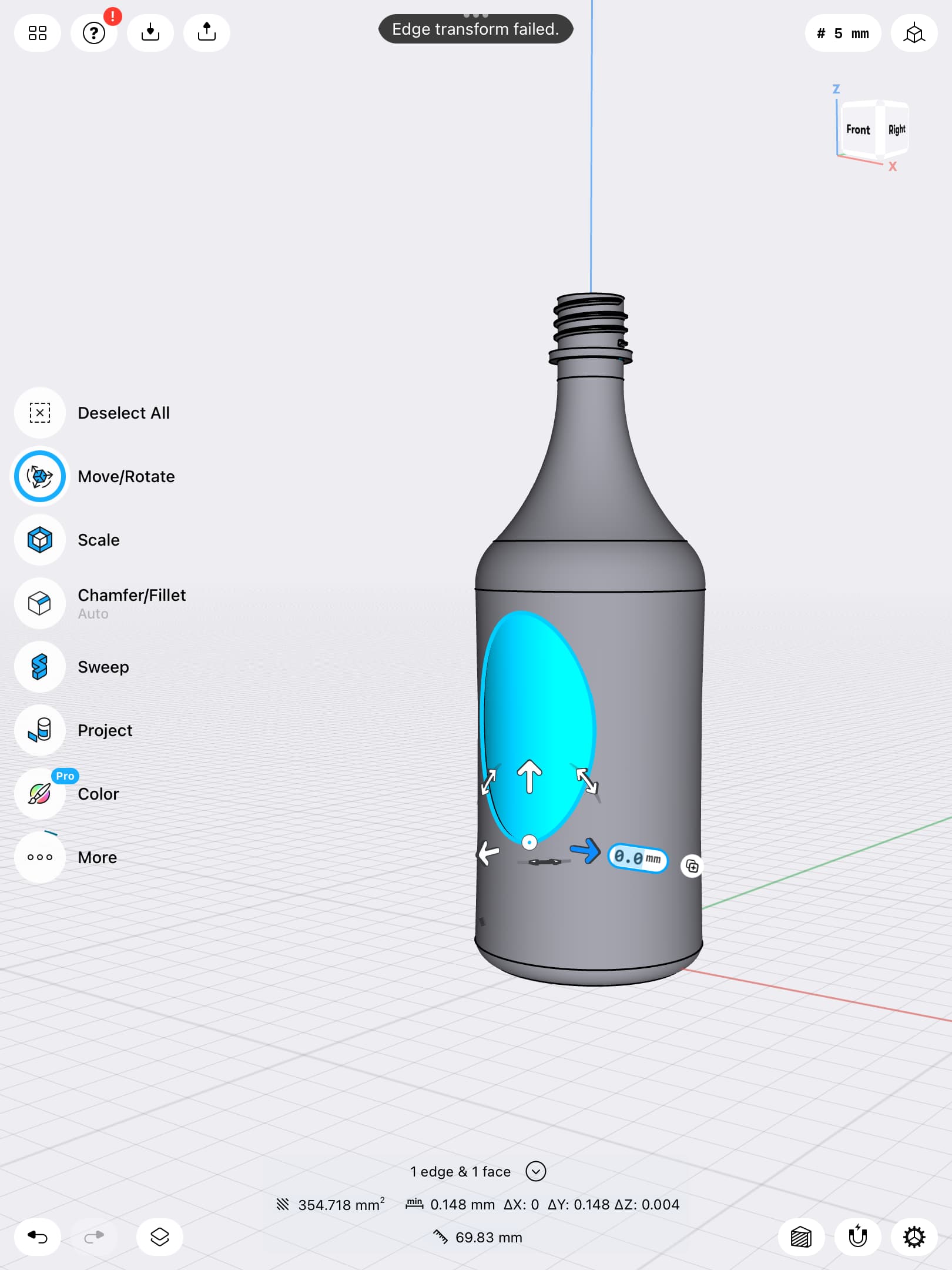
It just depends on which faces you select and where you place the central point of the move tool.
- With just the back face selected, you can change the extrusion depth. You can also rotate and move on the other directions, but it will affect only the back face, so it will alter the shape.
- if you select also the side face, you can then move up/down
- if you put the move center at the symmetry axe of the bottle, you can then rotate the face around the bottle.
You can also copy the face and rotate it : just click the small icon near the rotation angle box.



Hard to believe but it did move up and down once I just tried get can’t get it to repeat!

. I thought of that but the side of mine is straight.it might be a resolution issue? I put the glass to a thickness of 0.5mm and the inset is 0.3mm
R actually now I see there is a slight-concave that did not I: realise was there!
From your sketch on the “Project text” topic, I understood there was some 
There is a second limitation with concave shape: when moving up and down, there is a limit above which the face would protrude which is not possible neither because the “side” face would disappear. So if you offset the face very little, it won’t be able to move that much.

