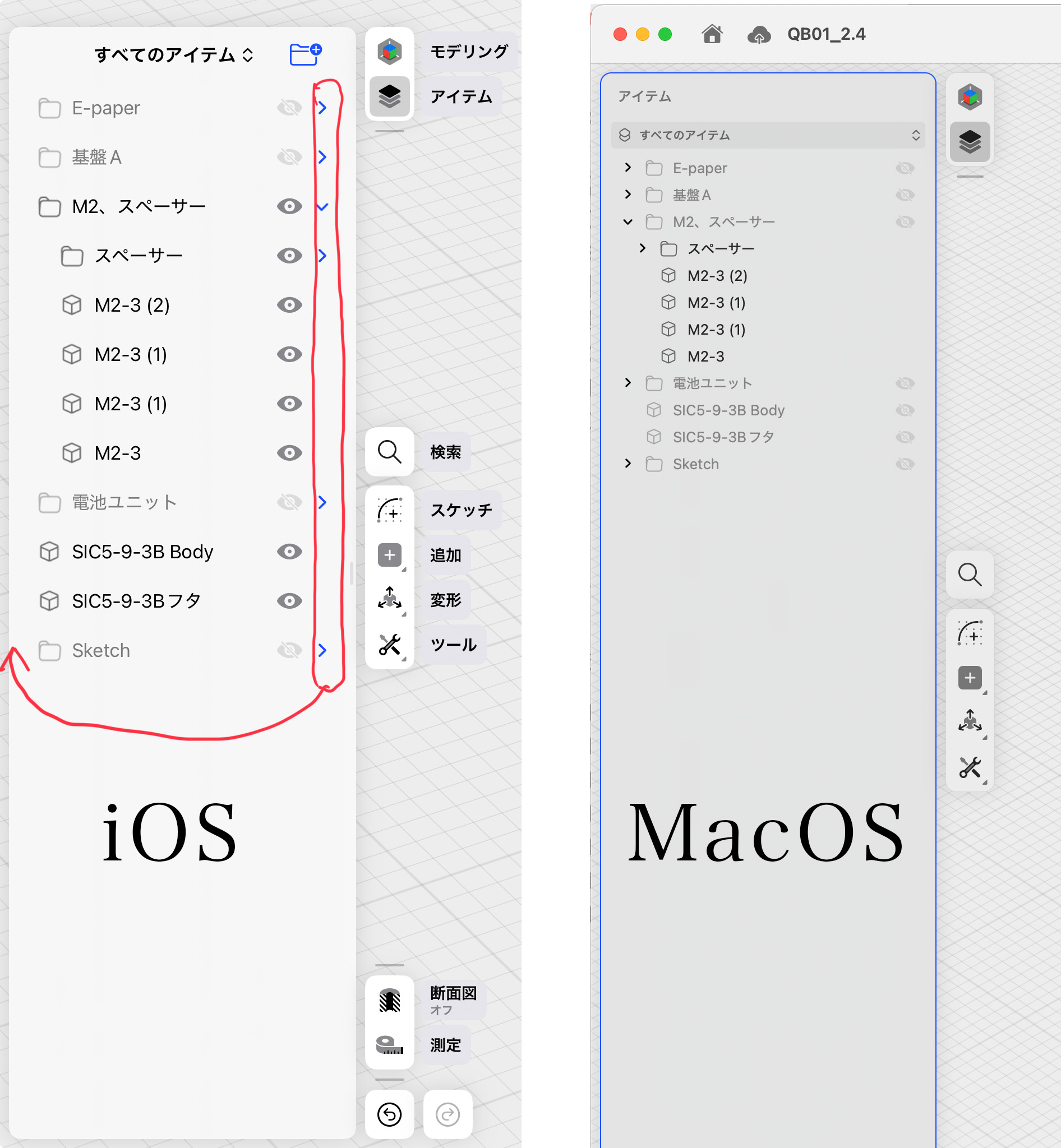
The two icons (Show/Hide and Open/Close) are too close, so when I tap with my finger, I touch the wrong icon and often can’t operate as I want. The same thing happens with the Apple pencil. Is it possible to move the folder open/close icon to the left edge like in MacOS?

Hi Mike,
Thank you for your suggestion.
This would be a much simpler improvement.
Dear Shapre3D development team,
Please consider it and improve it. This app is great and very useful for my work. I appreciate every great update.
Thank you.