I know this is pretty common problem. I have looked at other posts and videos and I’m still not understanding what I am doing wrong.
I have imported some airfoils, they are all very similar, but have very small differences. I need to loft these using some guidlines to help define the correct shape of the wing (partial eclipse). I have managed to get the rear a couple of times, but the front has caused a fair amount of issues.
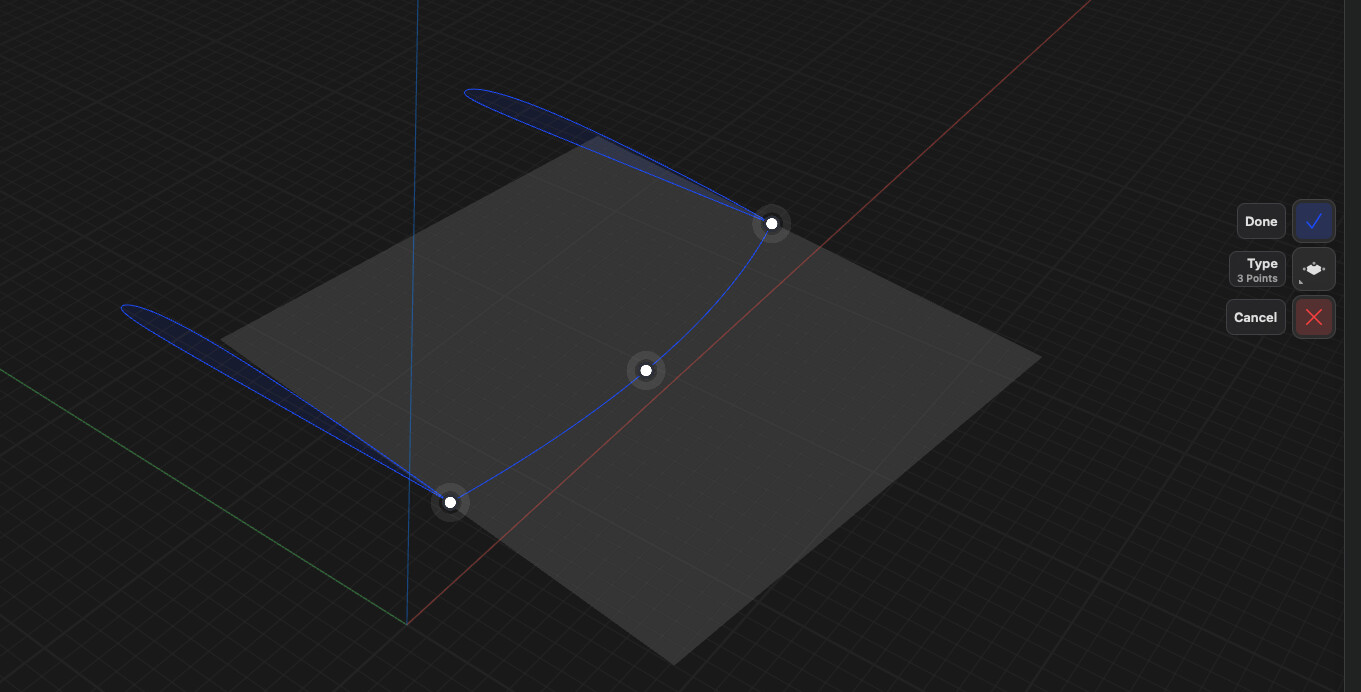
I have attached a sample. The curve at the rear is not connecting to the airfoil sketch, and I honestly don’t know why. Sometimes it works for me, sometimes it does not.
Please show me what the heck I am doing wrong. Many thanks!
Thank you very much for this help, but I must admit this is still kicking my butt. I’m attaching a file, this is for a wing I would like to loft.
The wing sections are very accurately drawn, but I have no idea how to get a plane to intersect them all at a usable location. Idealling at the trailing edge (rear of the airfoil) and also at the leading edge. I’d like to do this without moving the airfoil sections, or moving them very little. Multiple planes between the airfoils would work, but would be nice to have them aligned to a single plane.
I know I am missing some key thing. When I try to make a 3 point plane it only allows me to select the center of the airfoil.
I’m not sure what you’re trying to achieve. You still won’t be able to draw guide curves between all three profiles, because the profiles themselves already define the shape. If your goal is to create guide curves between each pair of profiles separately, then the construction planes would also need to be created between each pair of profiles.
Yeah, I hear you, I have managed to progress for sometime and have almost never used a custom plane, so I think I have picked up a series of bad self taught methods to get my work done. I watch your help videos and am blown away with your approach to many things. I use a fraction of the available power in Shapr..
Yes, I am wanting to add guide curves between the 3 airfoils. Ideally one smooth curve connecting each rounded front of the airfoil, and another curve connecting the 3 pointed ends. I’ll need to align them all onto a single plane and should be able to do that.. I’m not sure how yet, but will keep at it.
First, place the three profiles on a common plane, then move them along the “x” axis so that the trailing edges are in the correct positions. Next, spread the three profiles apart in the “y” direction to create the spans. This way, the three profiles will lie on a single plane. If you drew the profiles from a .dat file, the leading edges should also be in the correct positions.
Thank you - Yes, I convert the airfoil .dat file into curves in Shapr. A rather manual process to get it just right. I wish they would publish the curves as the .dat files for moderns foils are less than ideal. I suspect we will see this become the norm soon.
Again thank you. This is what I am planning to try, but have not yet had the time.