Hello Shapr3d community,
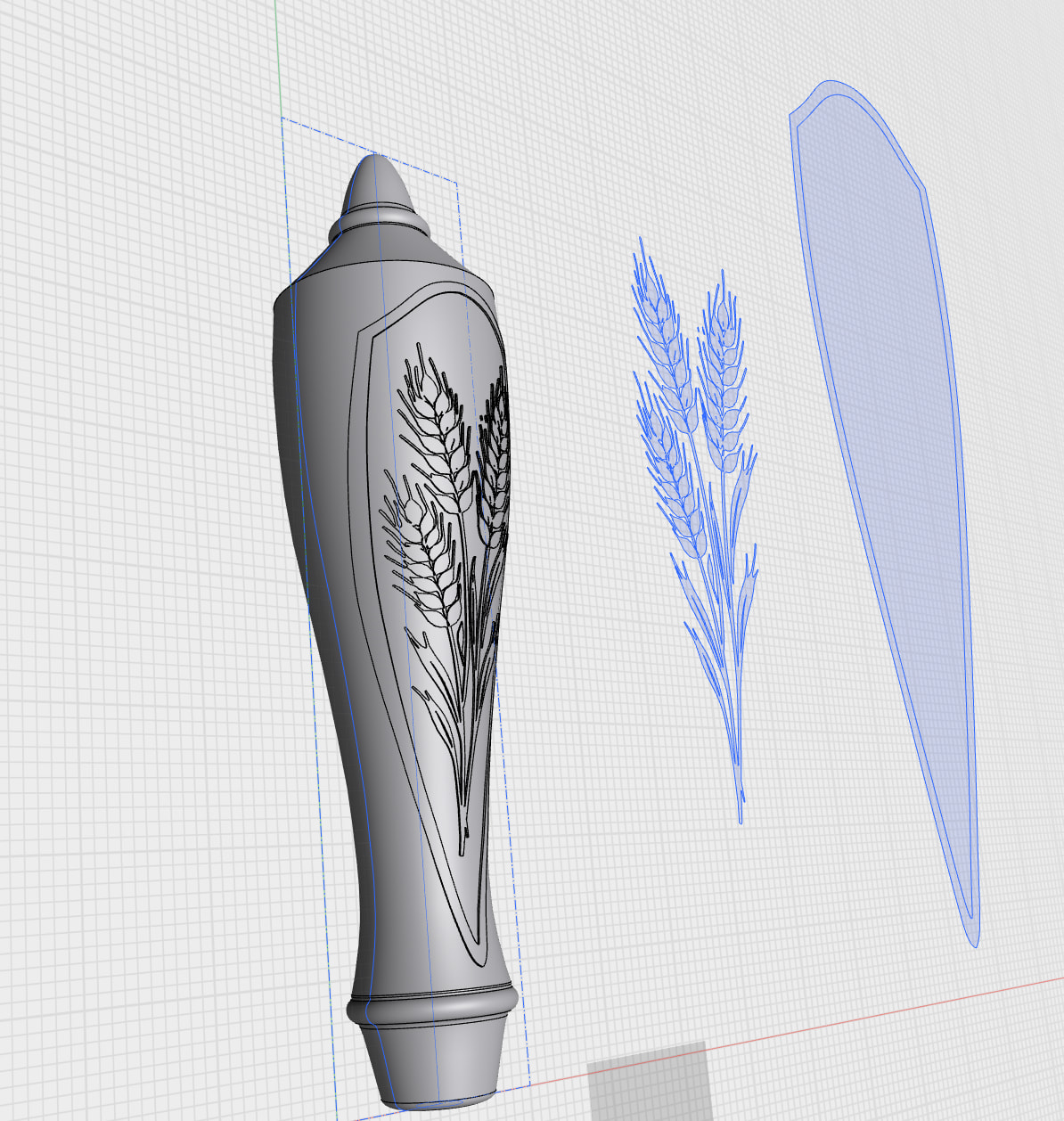
i have projected an 2d sketch of a barley stalk (made of hundreds of tiny splines) onto a 3d body, and it wraps nicely around the curves of the body. I can then use Offset Face to raise the projected sketch .05” above the surface of the body to create a raised, 3d surface of the sketch as in the attached screenshot. I now want to detach that projected image into a separate body for 3d printing. My goal is to 3d print this object using multiple filament colors, and I want to print the various pieces separately, and then assemble after printing. I have tried using the Move/Copy tool to create a copy of the image, but this operation fails. I have also tried to Move/Copy before doing the Offset Face, and this also fails. I’d appreciate any ideas.
Thanks!
Alex