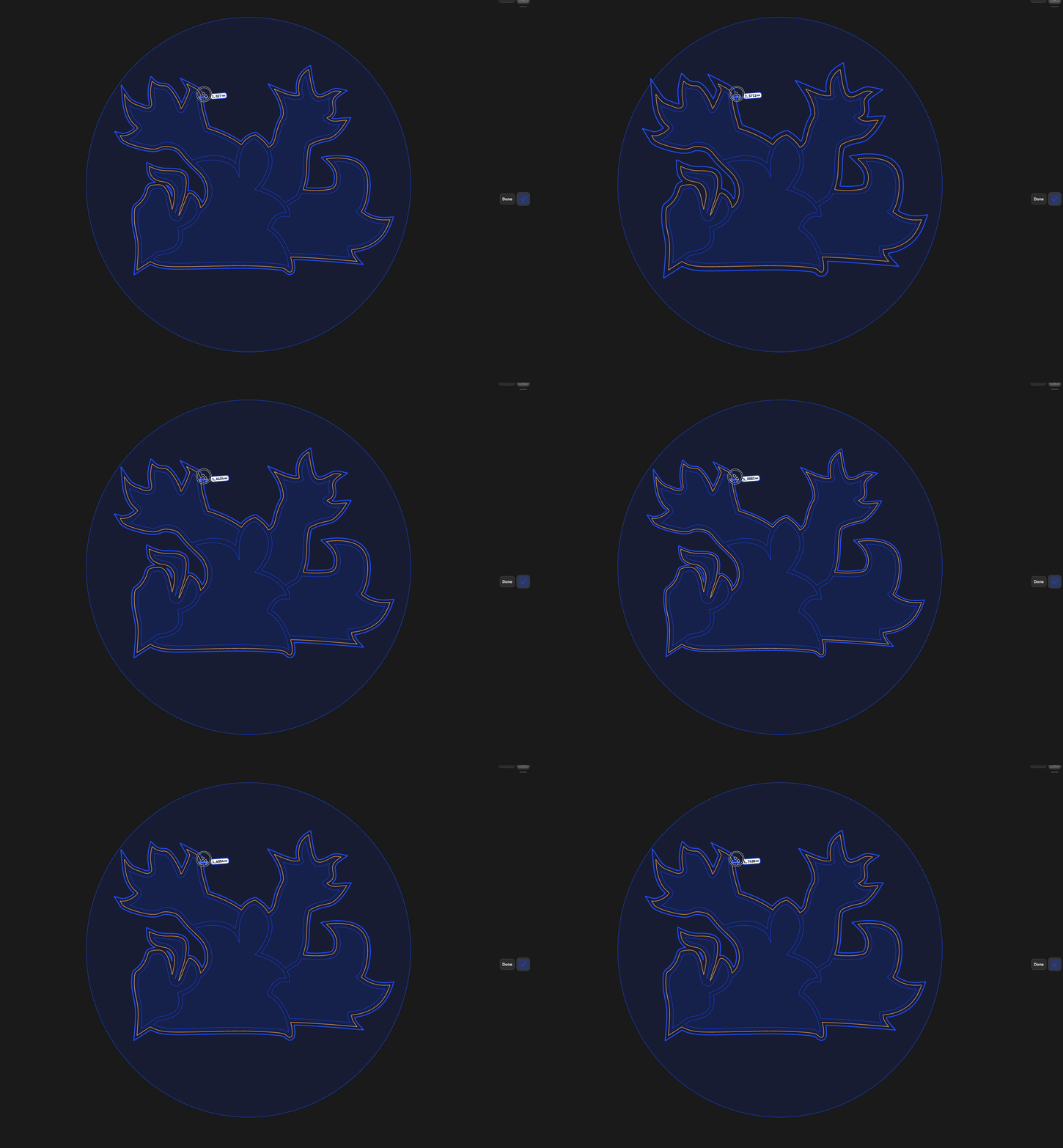
Hi everybody,
I’m trying arround since 2 days to get an offset egd, but I get the error:
Can’t fill gap in generated Offset edges
The sketch is an imported dwg file created with corel draw.
It is possible to do an extrude on the sketch, but no offset edge of the outline of the object.
I added a circle in corel draw and exported again to dwg and import to shapr3d.
Offset edge on the circle works, offset of the outline of the lion does not.
It is not possible for mee to upload the prepared shapr file.
EDIT:
What I forgot to say , is that it is possible to do an Offset Edge Single, but not Chain. And I would need Chain.
When zooming in deeply, at each end of segment I have 3 blue dots, 2 are control point and 1 is Endpoint.
The sketch is made out of splines, I am sure that the corel draw object is closed and all nodes are connected.
EDIT 2: cool upload does now work, thank you, here is the file:
I understand that this isn’t what you’re asking for, but I think the easiest solution here is to recreate the spline in S3D. I spent 5 minutes doing that, and now the chain offset works as expected.
Thank you, you are right, that’s not what I was looking for.
But if I would have been able to recreate it in 5 min. , I would have done that.
Could you share how proceed to recreate it?
thank you so much, I have red the manual, not realy, I have watched all the official tutorial videos and done most of the tutorial designs, but some years ago. May problem are the dynamic menus which makes it difficult fir me to find something , even when I know that it exists.
I was able to project a face to the new plane, but segments still were not connected.
But the good info is that I now realized that when selecting an Endpoint, I got the connecting icon which means: Please click me to connect the Endpoint.
My mistake was to think it was the representation of the connected status of the Endpoint.
I have tested on the tong of the lion, smallest object, when selecting the Endpoints one by one and clicking the chain icon, I am now able to do the offset edge.
I’m still having issues which I can not understand.
After connecting all the Endpoints of the of the inside closed loop of the lion tong , I was able to offset the edge the inside until it disappears.
But when doing an offset to the outside (+value) I get an error with more than 0.6mm.
When I do 0.5mm I have a new offset, but this offset contains unconnected Endpoints an can not be offset again.
After repairing theses Endpoint connection, I’m able to offset again by 0.7mm but not more, and once again I get unconnected Endpoints.
Can somebody explain this behavior to me ? Probably I have something wrong in my understanding of this feature.
I’m realizing that all this has nothing to do with connected endpoints.
After deleting each test project, creating a new one and importing the DWG, I am able to do an offset, but only by 0.04mm. 0.05 gets me an “Failed to offset edges”
Maybe there is a scale problem right from the beginning.
I know that the fastest solution would be to redraw the sketch as @Xdrakosha did.
But I need to understand what I’m doing wrong with this.